
Employee scheduling software
Get next week's schedule done in one sitting.
Build the week, catch conflicts, and publish it to your team.
Free for up to 10 people. No credit card.
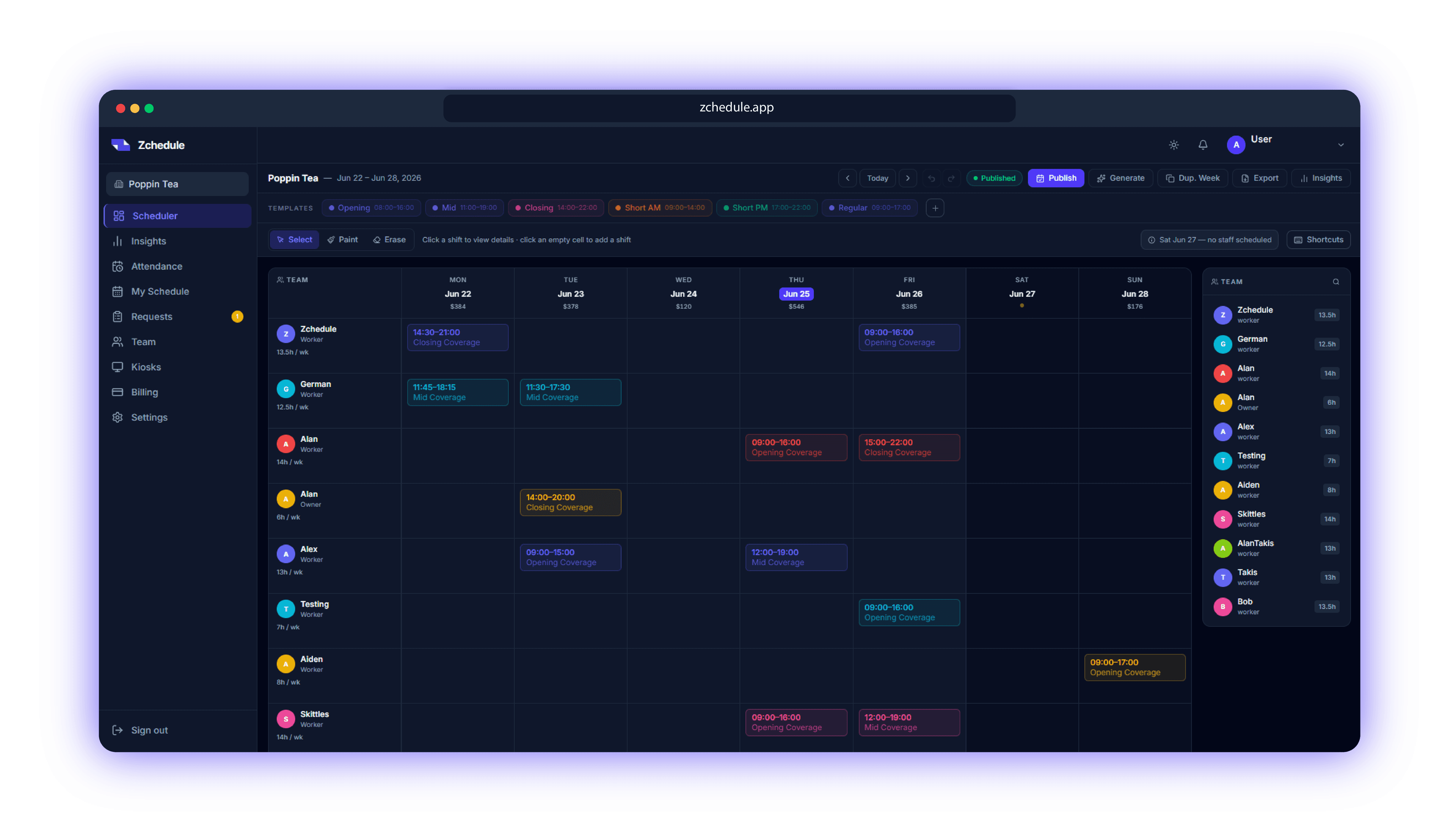


How it works
Build, check, publish, adapt.
- BuildLay out the weekPaint shifts onto the board from your presets, copy last week, or generate a draft.
- CheckRun the publish checkOvertime, availability conflicts, overlaps and empty days come back as a list with a score.
- PublishSend it outOne press puts the week live and notifies the people on it. Until then your team sees the last published week.
- AdaptHandle changesCoverage and swap requests arrive in one list. Edit a shift and only the people on it hear about it.
Before you publish
Every week gets checked before your team sees it.
Publish Schedule
2 warnings · 1 note
Warnings
Marcus is scheduled for 44h — 4h over the 40h limit
Priya is marked unavailable on this date — Saturday 09:00–15:00
Notes
Sunday has no staff scheduled
Good
No overlapping shifts
All shifts assigned
Press Publish and the week comes back as a score out of 100 with everything it found listed underneath. Fix it and run it again, or publish anyway.
- Overtime
- Availability conflicts
- Overlapping shifts
- Unassigned shifts
- Uncovered days
- Unreviewed drafts
- Missing pay rates
Generate
You don't have to start from an empty week.
Generate Schedule
Harbor Cafe · Jun 22 – Jun 28
Schedule goals
- Fill coverageStaff 27 positions across the weekAlways
- Respect availabilitySkip blackout dates, days off, and approved time off
- Limit overtimeNever cross a member's weekly hour cap
- Balance workloadSpread hours fairly and protect rest between shifts
Schedule parameters
- WeekJun 22 – Jun 28
- Team members9
- Business hours7 open days
- Coverage target27 positions · 15 shift windows
Creates drafts only. Your team sees nothing until you publish.
Tell it when you're open and how many people you need on. It builds the week as drafts, you move what you'd rather have elsewhere, then you publish.
- Build Full Week
- Fills all seven days from your hours and staffing.
- Fill Empty Shifts
- Leaves what you placed alone and fills the gaps.
- Rebalance Hours
- Moves shifts from whoever is loaded up to whoever is light.
- Reuse Best Week
- Refits a week that worked to who is available now.
Part of Pro, which every new team gets for 14 days.
How the generator decidesTime clock
Hours that line up with being at work.
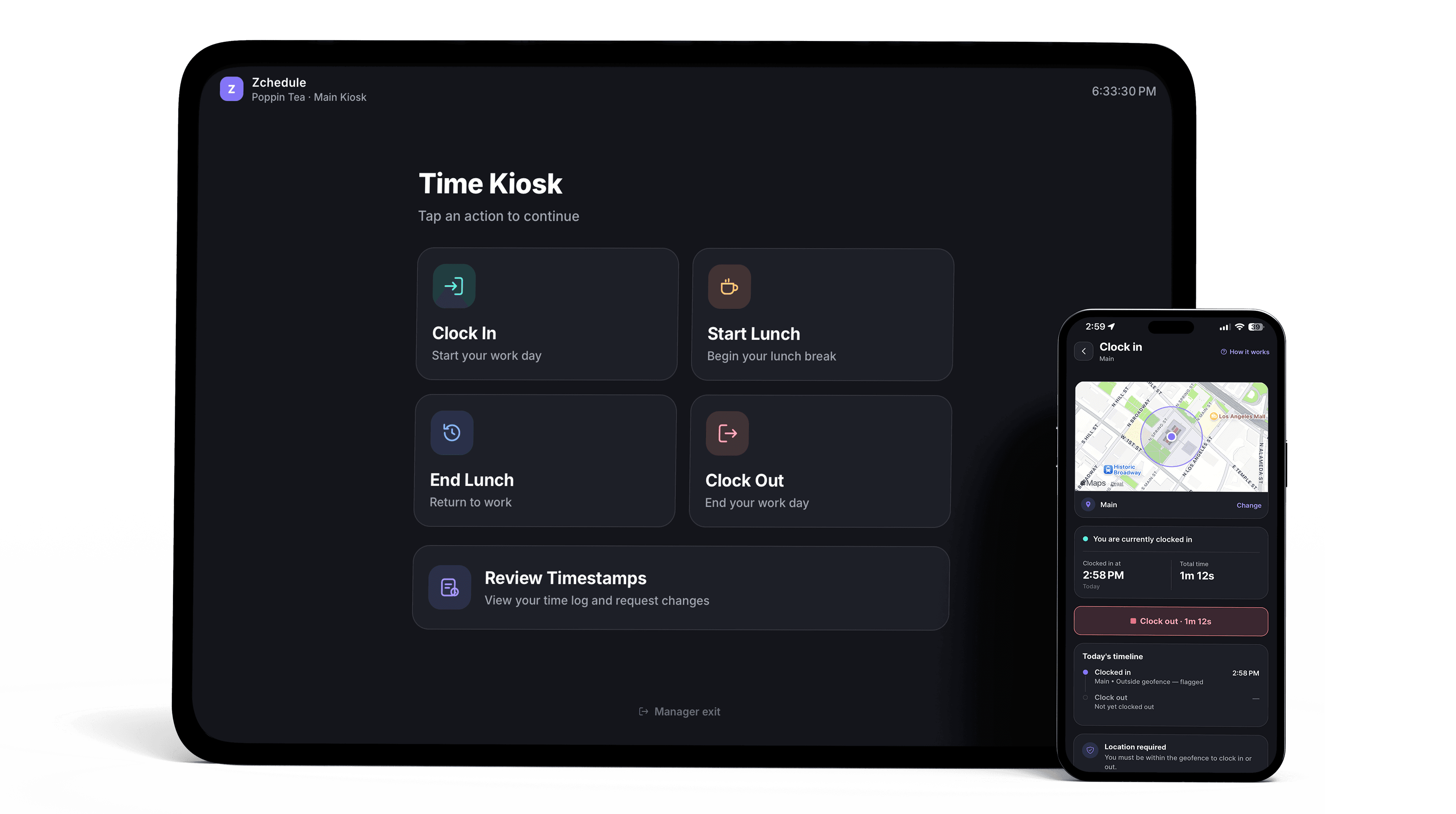
Draw a zone around the shop, pick how strict it is, and every clock-in is checked against it. Or put a shared tablet on the counter and let people punch in with a PIN.
GPS clock-in
Set a zone around each location and check punches against it.
Shared kiosk
Put a tablet on the counter and let people punch in with a PIN.
Timecards stay editable, because someone's phone will be dead at 6am eventually.
Free for up to 10 people. No credit card.
When plans change
A dropped shift shouldn't cost you an hour of texting.
Requests
PendingShift Swap· Priya asked 2h ago
Priya gives
Wed, Jun 24
9:00 AM – 2:00 PM
Short AM
Luis gives
Sun, Jun 28
2:00 PM – 10:00 PM
Closing
1 warning: Luis is marked unavailable on Wednesday
Somebody can't make Thursday. You get one request, the hours it changes, and a button.
- They ask from the shiftCoverage or a swap, raised from the published shift itself.
- It lands in RequestsOne list, with what it does to both people's hours.
- You approve, and it's handledThe schedule updates and both people are told.
Coverage and swaps, rule by ruleCoverage requests are on Free; swaps start on Starter.
The employee app
Employees open the app and see when they work.
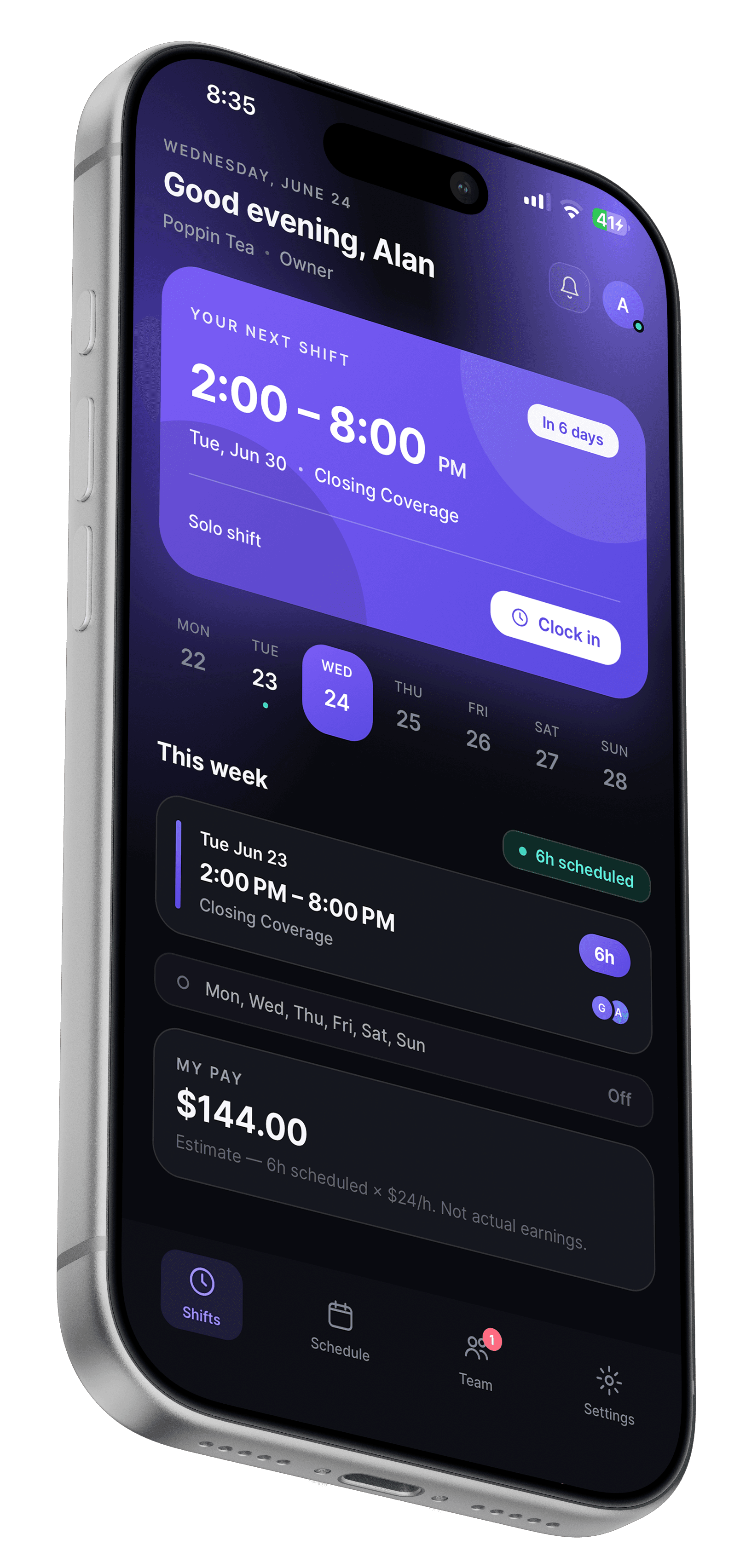
Accept the invite and they're ready. Use the iPhone app or any phone browser.
- Their next shift, then the week
- What's coming up, the rest of the week, and hours so far.
- Requests from the shift itself
- Coverage and swaps are asked for on the shift and land in your Requests list.
- A notification when something changes
- A published week, a moved shift, an answered request.
Available on iPhone
 (opens in a new tab)
Pricing
One price for the team. Adding people doesn't change it.
A 12-person shop and a 28-person shop on Starter pay the same $19.99.
Yearly works out to ten months, so two are on us.
Free
Everything you need to run a weekly schedule.
$0/month
Up to 10 people, you included
- Weekly schedule board
- Shift presets and duplicate week
- Publish check with a 0–100 score
- Drafts hidden until you publish
- Availability and blocked-out dates
- Coverage requests
- Notifications
- iPhone app and web for the whole team
Starter
For teams that also want the hours tracked.
$19.99/month
or $199.90/year, two months free
Up to 30 people
- Everything in Free
- Shift swaps
- Saved week templates
- Time clock and attendance
- Labor cost, coverage and attendance reporting
Pro
For teams building the week from scratch every week.
$39.99/month
or $399.90/year, two months free
Unlimited people
- Everything in Starter
- Schedule generator, all four modes
- GPS clock-in zones
- Shared-tablet kiosk clock-in
Every feature by plan, and what a team of 6, 15, 25 or 40 pays
The 14-day Pro trial
You sign up with no card and land on Free. Your first shift starts 14 days of Pro, so you can generate a week and try the clock-in. When it ends, nothing is charged and nothing is deleted: you continue on Free with every schedule you built.
Small hourly teams
Teams where somebody opens and somebody closes.
Hourly shift work under about a hundred people, where one manager owns the schedule and the week changes after it's posted.
- Restaurants
- Coffee shops
- Food trucks
- Retail
- Salons and studios
- Cleaning crews
- Auto shops
- Gyms and studios
Straight answers
The free plan and the trial, in plain terms.
- The free plan has no expiry
- Up to 10 people, including you, with no card on file. Teams that stay small can stay on it.
- Nothing is charged or deleted when the trial ends
- 14 days of Pro start with your first shift. Afterwards you continue on Free with every schedule intact.
- The bill doesn't move when the team grows
- Plans are priced per team. Hiring three people changes nothing about what you pay.
- Staff only ever see published shifts
- Drafts and pending edits never reach their app, and only managers can change the schedule.
FAQ
Questions worth answering up front.
Employee scheduling and time-clock software for small hourly teams. Managers build the week on the web, staff see it in the iPhone app or any browser, and the price is one flat amount per team. Free for up to 10 people.
The scheduling part, permanently, for up to 10 people including you. That's the weekly board, shift presets, duplicating a week, the publish check, availability and blocked-out dates, coverage requests, notifications, and the app for everyone on the team. Shift swaps, the time clock and reporting are Starter. The schedule generator, GPS clock-in and kiosks are Pro.
No. You create an account, build a schedule, and never enter card details unless you decide to pay for Starter or Pro.
When you create your first shift, not when you sign up. Adding your team and setting your hours doesn't burn days off the clock. At the end of the 14 days you aren't charged and nothing is deleted: you continue on Free with every schedule intact, and the Pro features stop until you pick a plan.
There's no per-person fee. The plans have team sizes instead: 10 people on Free, 30 on Starter, unlimited on Pro. Going from 6 people to 26 on Starter costs the same $19.99.
No. Employees can only read published shifts. Drafts, pending edits and shifts you've marked for removal don't reach their app at all, so a half-finished week can't be mistaken for the real one.
Managers build and publish from the web dashboard at zchedule.app, which is where the full board and the generator live. Employees use the iPhone app, or the web on any phone if they're not on iOS.
There's very little for them to do. They accept an invite, log in, and their shifts are on the first screen. No setup, no profile to fill in, nothing to learn before it's useful.
No, and that's on purpose. You get labor cost against the schedule and attendance records you can correct, but there's no payroll run, no HR file, no hiring pipeline. Scheduling is the product.
Next week's schedule is going to get built either way.
Build it here and you'll know about the overtime before payroll does, and your team will know their hours before they have to ask.
Free for up to 10 people. No credit card.
Questions first? Contact us